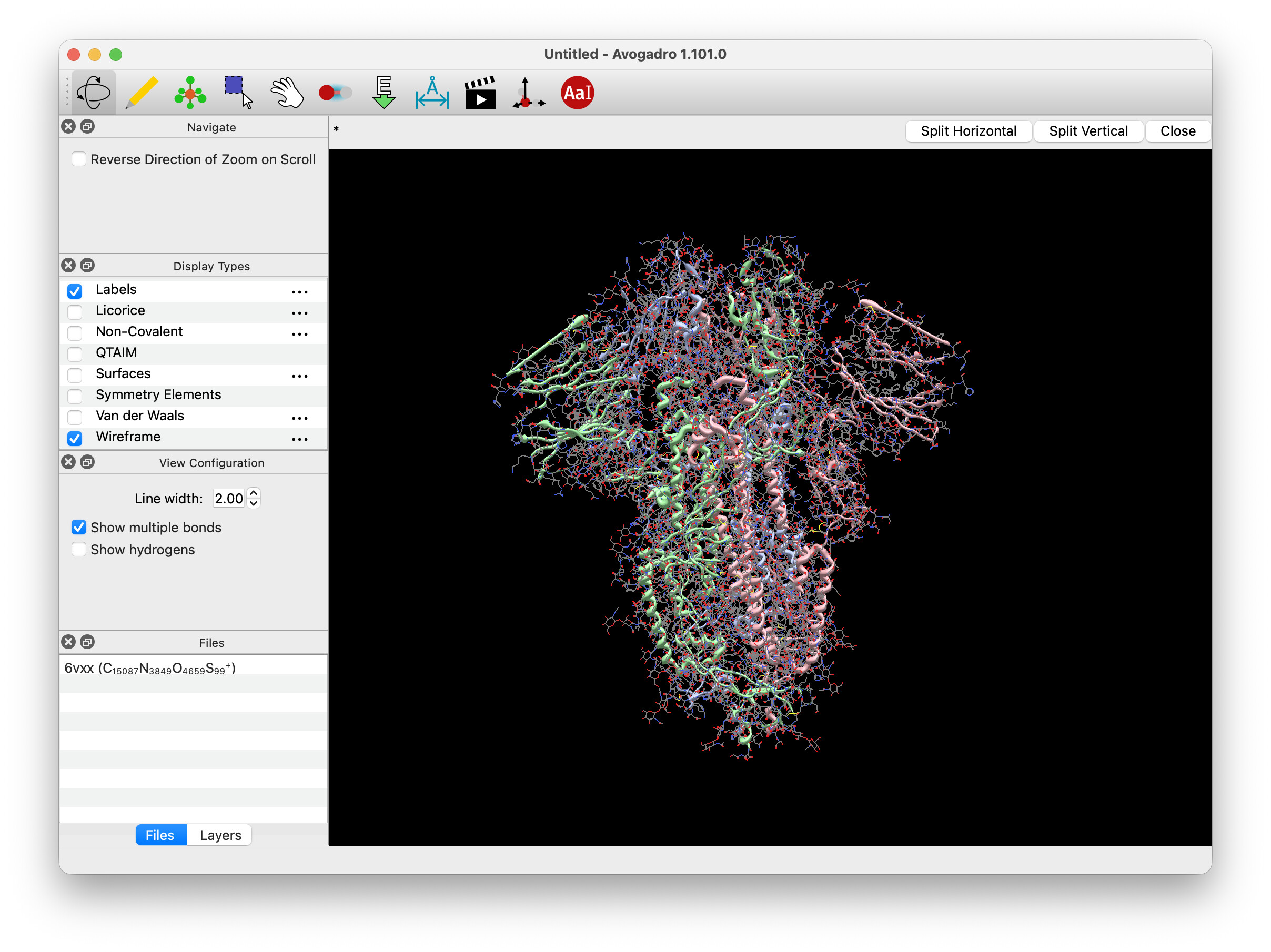
With some screenshots, it seems as if it’s now approved 
Happy to update screenshots, etc. and I’ll grab a signed MSIX installer in a bit.
With some screenshots, it seems as if it’s now approved
Happy to update screenshots, etc. and I’ll grab a signed MSIX installer in a bit.
For the protein example, I’ve been using 6vxx (i.e. COVID spike protein) with ball-and-stick turned off, but wireframe and cartoons turned on.
It turns out there are indeed 2 versions of Avogadro on my system, one is Qt5 and one is Qt6. Opening this output file works fine in the Qt5 version, but will crash the Qt6 version.
000.out.tar.gz (2.9 MB)
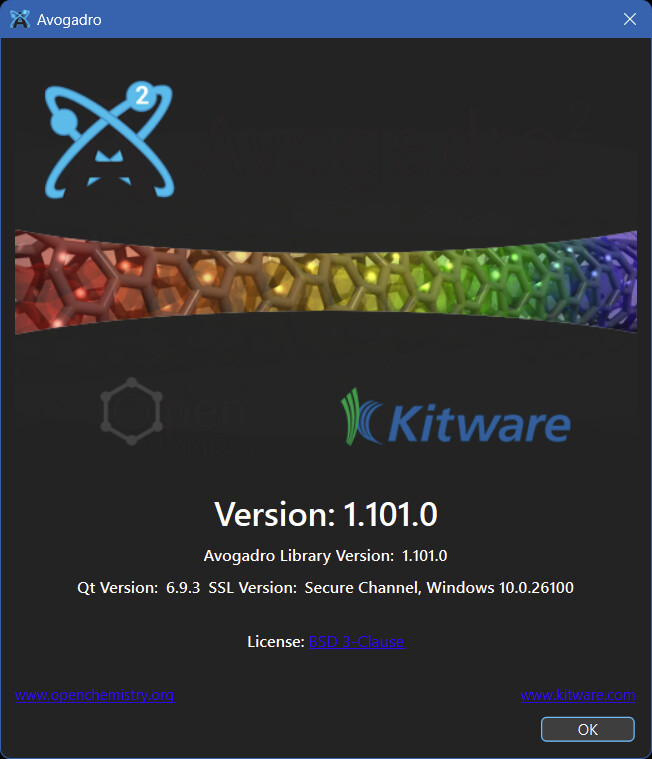
I can’t really get more specific about the Qt6 version since this is all the “About” screen shows:
As a side note, perhaps it would be good to double check the colors for dark mode 
Edit:
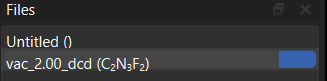
And also the spacing for the text in the files, as well as the missing X next to the file name.
That’s the reason I just redid the about screen.
Yes, there’s definitely a bug there.
Just here to check in about the status of an installer for Windows. The latest nightly build (from today, October 21st 2025) still doesn’t have an installer, and it seems like that may be important considering the 1.102 release is set for 2 days from now.
Yes - I’ve been tweaking the build actions. The current build should take, and I’ll update the nightly build links later this afternoon.
If you have time to check the build, I’d appreciate it, but I’ll also check on Wednesday.
Okay, the website should now point at the new nightly:
https://nightly.link/OpenChemistry/avogadrolibs/workflows/build_windows/master/Win64.exe.zip
Installer is good, although it still doesn’t seem to want to uninstall the previous Qt5 version of Avogadro.
Also, I can open ORCA outputs just fine now.
Yes, I need to figure out a good mechanism for the “uninstall and upgrade” in the NSIS installer script. (Maybe just deleting the whole directory.)
But I’m glad to hear the new installer works. Hopefully everything gets code-signed correctly for release tomorrow. (If not, I’ll continue to post the un-signed exe)
I think that would probably work, although there is already an Uninstall.exe with Avogadro, there has been every time I’ve updated. It could be that because the nightly build now installs Avogadro 2 to C:\Program Files (x86)\Avogadro 2 the previous Qt5 version installed Avogadro 2 to C:\Program Files\Avogadro 2, so it used to uninstall the previous version when they were getting put in the same directory, but now that the path is different it doesn’t uninstall it anymore?
There are a few things you might be interested to know with the current nightly build. First, it lists the version as 1.101.0, even though it is a nightly build, which have in the past have had an extra label for the specific version of avogadroapp or avogadrolibs added onto the end of the version info. Second, every time I launch it prompts about a new version being available:
Hitting “OK” downloads an installer for the Qt5 version of Avogadro, I’m assuming that it is probably Release 1.101.0 (avogadrolibs version 1.100.0-776-gdbdaa4c1 if that helps at all).
Next point, the new installer is 109 MB while the previous installer was 55.6 MB. I’m not sure if this is to do with going to Qt6, but it might be worth taking a look at. Also, while the link on two.avogadro.cc downloads a .zip file containing the installer, it is very apparently not compressed (previous nightlies were also not compressed, just zipped). It could be that, while in previous nightly builds there was also a AvogadroApp.sln and AvogadroCPackOptions.cmake file included that needed to be zipped, but the newer ones don’t include it so being zipped is just a remnant of that?
Also, the installer from the latest nightly has a generic NSIS icon:

while the previous installers had the Avogadro 2 logo as the icon:

There’s a minor cosmetic issue with the Files section of the sidebar, the button for creating a new document also has a spot for an “X” even though it probably shouldn’t. Also, not sure how apparent it is, but the text for the file names is aligned to the bottom of the box and not the middle.
Thankfully though the actual documents have the correct “X” next to them now
In less great news, the input generators aren’t showing up anymore in the Input menu. I’ve tried deleting the old folder with them and reinstalling from the plugin download menu (and restarting the program), but no luck. All I get are these:
Also, trying to install avo_xtb prompts about installing the extra Python dependencies, but as far as I can tell it never actually installs anything. The dialog box that pops up hangs:
Interestingly though if I watch task manager I can see that there is a Python interpreter that is opened for a few brief seconds after I tell it to install the dependencies, but even after that closes the dialog stays open. There’s also no option in the Extensions menu to use avo_xtb. Perhaps @matterhorn103 has some input to offer there? I’ve checked that my Python settings in Avogadro 2 point to the correct Python interpreter, so I’m not entirely sure what is going on there.
The text for the cell matrix and fractional matrix in the Unit Cell Editor are not switched properly for dark mode:
The angles in the Angle Properties dialog box are right-justified while everything else is center-justified (same with Torsion Properties, bond lengths in Bond Properties).
Text with a subscript in the Symmetry dialog box is cut off.
That seems to be all I can find right now.
On the plus side, the new About dialog looks great!
avo_xtb doesn’t have any dependencies…
There was a bug with how pixi was used that I fixed yesterday. My guess is it’s not in the nightly build you got. That would also affect how avo_xtb is called.
Should I make sure it goes in the (x86) directory? That’s a pretty easy tweak to the NSIS script.
Huh. That’s annoying. I changed up the version detection logic because “99” was > “100” (string sorting) and it never told me to update my 1.99 install.
I’ll see if I can fix that. Previously, the NSIS installer script was created by cpack and this time around, I cobbled together something from bits I could find online.
I’ll go fix that. Should be easy enough.
Sigh. Thanks for the heads-up.. I’m sure there are a few of these that we’ll find (maybe coordinate editor, etc.)
Yep, that’s intentional. Otherwise you’d have a weird column with some angles at 90.102° and some angles at 120.01°, etc. This shows up more frequently with torsions, because of course there are plenty of cases with 30.1° vs. 135° torsions.
This should be the build that has the fixed pixi run capabilities including the input generators. Hopefully it works:
https://github.com/OpenChemistry/avogadrolibs/actions/runs/18703902421/artifacts/4335816586
IIRC (x86) is for 32-bit software and the regular Program Files is for 64-bit software, so I think Avogadro 2 should go in the regular Program Files.
Is there any way to align things like in a LaTeX align environment where you could just have the decimal points be at the same position or the 1s place be at the same position? It probably wouldn’t change much because from what I can see Avogadro always displays 3 sig figs after the decimal.
It does not seem to work. Maybe it’s not searching in the right spot?
Is there some way you can run it from a console or Terminal to see the output? I guess it should also be writing that out to the Documents/avogadro2.log file as well.
I’m definitely not going to release if it’s not running the python commands - that was the whole point of including pixi
avogadro2.log gives this error:
Warning: Can't find pixi in your path (:0, )
Here’s the full log file if that helps.
avogadro2.log (10.6 KB)
I can tell that pixi is definitely being installed when I run the installer, and there is a file C:\Program Files (x86)\Avogadro2\bin\pixi.exe, so I’m not exactly sure what is stopping it from finding pixi.
I’ll take a look. Worse case, I’ll disable the pixi bits for now.
How about if all the numerical columns were right aligned?
I don’t think that would look great.
As far as column alignment, there’s probably some way to do “decimal alignment” with custom styles, but no it’s not available in Qt by default.
BTW, I realized I forgot to fix the version update thing, but I think that mostly affects us?
If not, I’ll push out a 1.102.1. I might anyway because the NSIS installer didn’t get signed properly.
Actually it looks like I might have a signed Windows installer?
I’m still waiting on Microsoft to sign the MSIX installer and we’ll see if that works too.