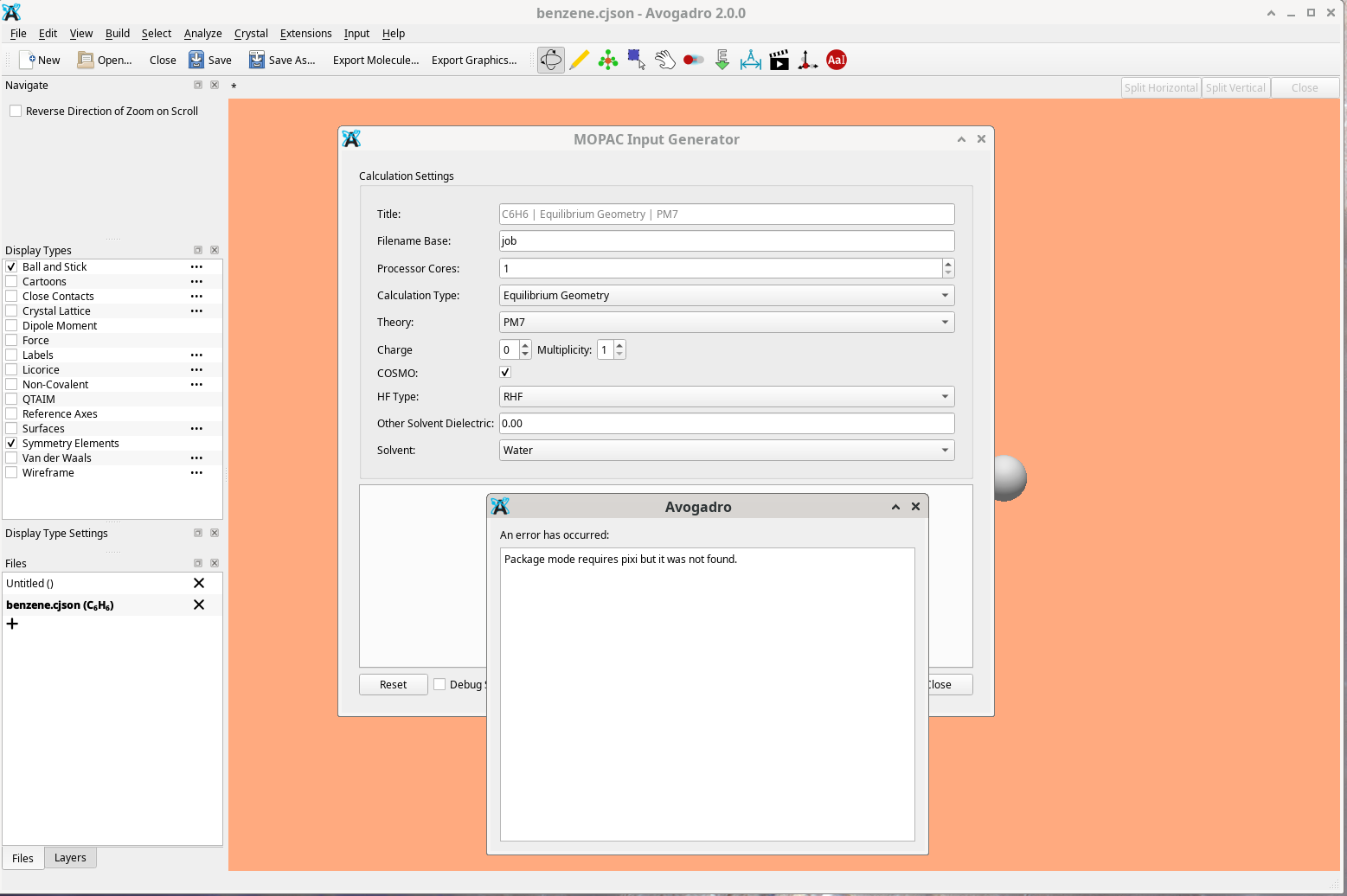
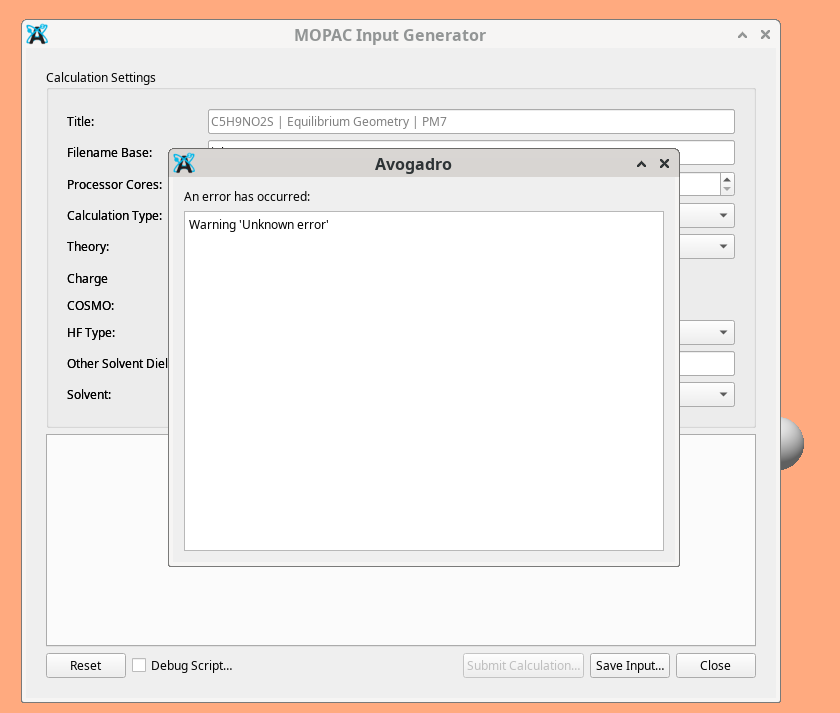
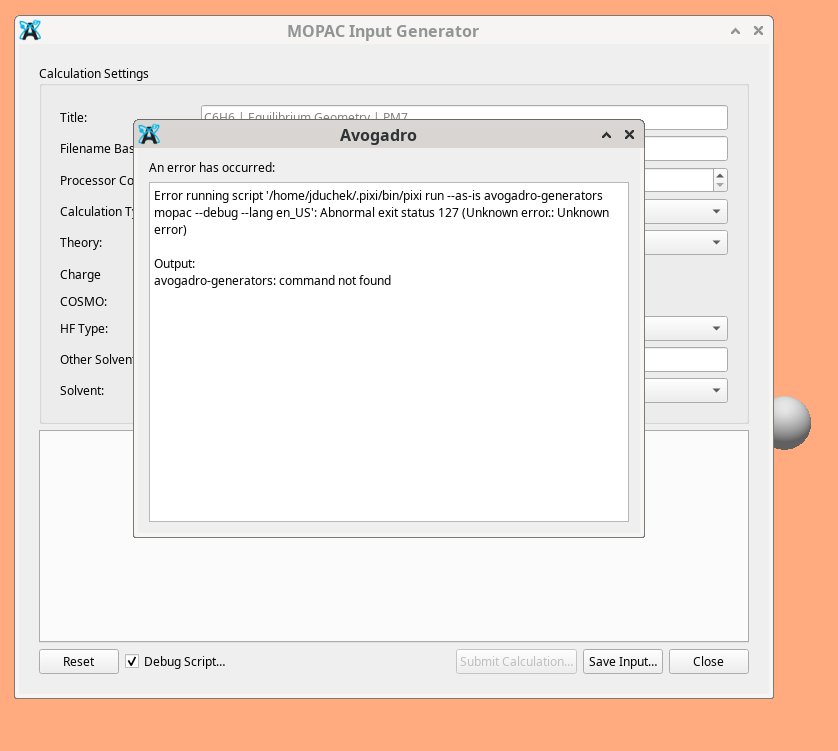
Here is the terminal output from starting Avagodro
jduchek@HP-K:~$ AVO_PYTHON_SCRIPT_DEBUG=1 ./Avogadro.AppImage
bash: ./Avogadro.AppImage: No such file or directory
jduchek@HP-K:~$ cd AppImages/
jduchek@HP-K:~/AppImages$ AVO_PYTHON_SCRIPT_DEBUG=1 ./Avogadro.AppImage
bash: ./Avogadro.AppImage: No such file or directory
jduchek@HP-K:~/AppImages$ ls
4.9_20210511_Ultimaker_Cura-4.9.1.AppImage
arduino-ide_2.2.1_Linux_64bit.AppImage
arduino-ide_2.3.6_Linux_64bit.AppImage
Avogadro2-x86_64.AppImage
balenaEtcher-1.18.11-x64.AppImage
CrealityPrint-V6.2.0.2827-x86_64-Release.AppImage
get_icon.sh
icons
Lac861-x86_64.AppImage
MeshLab2020.07-linux.AppImage
RePetier-host-docs.pdf
Repetier-Host-x86_64-2.2.2.AppImage
ser_player_logo_150x150.png
SER_Player-v1.7.3-x86_64.AppImage
squashfs-root
Stellarium-24.2-qt5-x86_64.AppImage
UltiMaker-Cura-5.3.0-linux.AppImage
UltiMaker-Cura-5.3.0-linux-modern.AppImage
jduchek@HP-K:~/AppImages$ AVO_PYTHON_SCRIPT_DEBUG=1 ./Avogadro2-x86_64.AppImage
Avogadroapp version: 2.0.0
Avogadrolibs version: 2.0.0
Qt version: 6.8.3
qt.core.qobject.connect: QObject::connect(QObject, Unknown): invalid nullptr parameter
SSL version: “OpenSSL 3.0.2 15 Mar 2022”
Using locale: “en_US”
registering obmm plugins
“/tmp/.mount_Avogadwfk199/usr/bin/obabel” found: “/tmp/.mount_Avogadwfk199/usr/bin/obabel: Open Babel 3.1.1 – Apr 1 2026 – 11:15:52”
RPC server listening on: “/tmp/avogadro”
current version is newer than latest release
Open Babel formats ready: 142
Setting default format to cjson.
Executing “/home/jduchek/.pixi/bin/pixi” “run --as-is avogadro-generators mopac --debug --lang en_US” < “{“cjson”:{“atoms”:{“coords”:{“3d”:[-2.04281,2.69204,0.626229,-2.60254,3.93092,0.938338,-3.95446,4.02194,1.26942,-4.74661,2.87405,1.28865,-4.18686,1.63515,0.976653,-2.83499,1.54415,0.645353,-0.989543,2.62119,0.368203,-2.39893,0.57892,0.402116,-4.804,0.740778,0.991704,-5.79987,2.94501,1.5467,-1.98537,4.82526,0.923522,-4.39055,4.98721,1.51242]},“elements”:{“number”:[6,6,6,6,6,6,1,1,1,1,1,1]},“layer”:[0,0,0,0,0,0,0,0,0,0,0,0]},“bonds”:{“connections”:{“index”:[0,1,1,2,2,3,3,4,4,5,0,5,0,6,5,7,4,8,3,9,1,10,2,11]},“order”:[2,1,2,1,2,1,1,1,1,1,1,1]},“chemicalJson”:1,“layer”:{“enable”:{“Ball and Stick”:[true],“Cartoons”:[false],“Close Contacts”:[false],“Crystal Lattice”:[false],“Dipole Moment”:[false],“Force”:[false],“Labels”:[false],“Licorice”:[false],“Non-Covalent”:[false],“QTAIM”:[false],“Reference Axes”:[false],“Surfaces”:[false],“Van der Waals”:[false],“Wireframe”:[false]},“locked”:[false,false],“settings”:{“Ball and Stick”:[“true true 0.300000 0.100000 1.000000”]},“visible”:[true,true]},“properties”:{“fileName”:”/media/Science-4T/2026-Chemistry/CJSON/Johns_Stuff/benzene.cjson",“modelView”:[[0.37197238206863403,-0.8686060309410095,-0.32732799649238586,4.938599586486816],[0.9045268893241882,0.4183780550956726,-0.08232038468122482,2.061976432800293],[0.208452045917511,-0.2654572129249573,0.9413101077079773,-12.811356544494629],[0,0,0,1]],“projection”:[[0.12265758216381073,0,0,0],[0,0.1666666716337204,0,0],[0,0,-0.051572613418102264,0],[0,0,0,1]],“totalCharge”:0,“totalSpinMultiplicity”:1}},“options”:{“COSMO”:true,“Calculation Type”:“Equilibrium Geometry”,“Charge”:0,“Filename Base”:“job”,“HF Type”:“RHF”,“Multiplicity”:1,“Other Solvent Dielectric”:“0.00”,“Processor Cores”:1,“Solvent”:“Water”,“Theory”:“PM7”,“Title”:“C6H6 | Equilibrium Geometry | PM7”}}"
Working directory is “/home/jduchek/.local/share/OpenChemistry/Avogadro/plugins/avogenerators”
“Error running script ‘/home/jduchek/.pixi/bin/pixi run --as-is avogadro-generators mopac --debug --lang en_US’: Abnormal exit status 127 (Unknown error.: Unknown error)\n\nOutput:\navogadro-generators: command not found\n”
Executing “/home/jduchek/.pixi/bin/pixi” “run --as-is avogadro-generators mopac --debug --lang en_US” < “{“cjson”:{“atoms”:{“coords”:{“3d”:[-2.04281,2.69204,0.626229,-2.60254,3.93092,0.938338,-3.95446,4.02194,1.26942,-4.74661,2.87405,1.28865,-4.18686,1.63515,0.976653,-2.83499,1.54415,0.645353,-0.989543,2.62119,0.368203,-2.39893,0.57892,0.402116,-4.804,0.740778,0.991704,-5.79987,2.94501,1.5467,-1.98537,4.82526,0.923522,-4.39055,4.98721,1.51242]},“elements”:{“number”:[6,6,6,6,6,6,1,1,1,1,1,1]},“layer”:[0,0,0,0,0,0,0,0,0,0,0,0]},“bonds”:{“connections”:{“index”:[0,1,1,2,2,3,3,4,4,5,0,5,0,6,5,7,4,8,3,9,1,10,2,11]},“order”:[2,1,2,1,2,1,1,1,1,1,1,1]},“chemicalJson”:1,“layer”:{“enable”:{“Ball and Stick”:[true],“Cartoons”:[false],“Close Contacts”:[false],“Crystal Lattice”:[false],“Dipole Moment”:[false],“Force”:[false],“Labels”:[false],“Licorice”:[false],“Non-Covalent”:[false],“QTAIM”:[false],“Reference Axes”:[false],“Surfaces”:[false],“Van der Waals”:[false],“Wireframe”:[false]},“locked”:[false,false],“settings”:{“Ball and Stick”:[“true true 0.300000 0.100000 1.000000”]},“visible”:[true,true]},“properties”:{“fileName”:”/media/Science-4T/2026-Chemistry/CJSON/Johns_Stuff/benzene.cjson",“modelView”:[[0.37197238206863403,-0.8686060309410095,-0.32732799649238586,4.938599586486816],[0.9045268893241882,0.4183780550956726,-0.08232038468122482,2.061976432800293],[0.208452045917511,-0.2654572129249573,0.9413101077079773,-12.811356544494629],[0,0,0,1]],“projection”:[[0.12265758216381073,0,0,0],[0,0.1666666716337204,0,0],[0,0,-0.051572613418102264,0],[0,0,0,1]],“totalCharge”:0,“totalSpinMultiplicity”:1}},“options”:{“COSMO”:true,“Calculation Type”:“Equilibrium Geometry”,“Charge”:0,“Filename Base”:“job”,“HF Type”:“RHF”,“Multiplicity”:1,“Other Solvent Dielectric”:“0.00”,“Processor Cores”:1,“Solvent”:“Water”,“Theory”:“PM7”,“Title”:“C6H6 | Equilibrium Geometry | PM7”}}"
Working directory is “/home/jduchek/.local/share/OpenChemistry/Avogadro/plugins/avogenerators”
“Error running script ‘/home/jduchek/.pixi/bin/pixi run --as-is avogadro-generators mopac --debug --lang en_US’: Abnormal exit status 127 (Unknown error.: Unknown error)\n\nOutput:\navogadro-generators: command not found\n”
^C
jduchek@HP-K:~/AppImages$
Once I loaded it I loaded benzene and asked to make MOPAC imput. Screen shot attached.