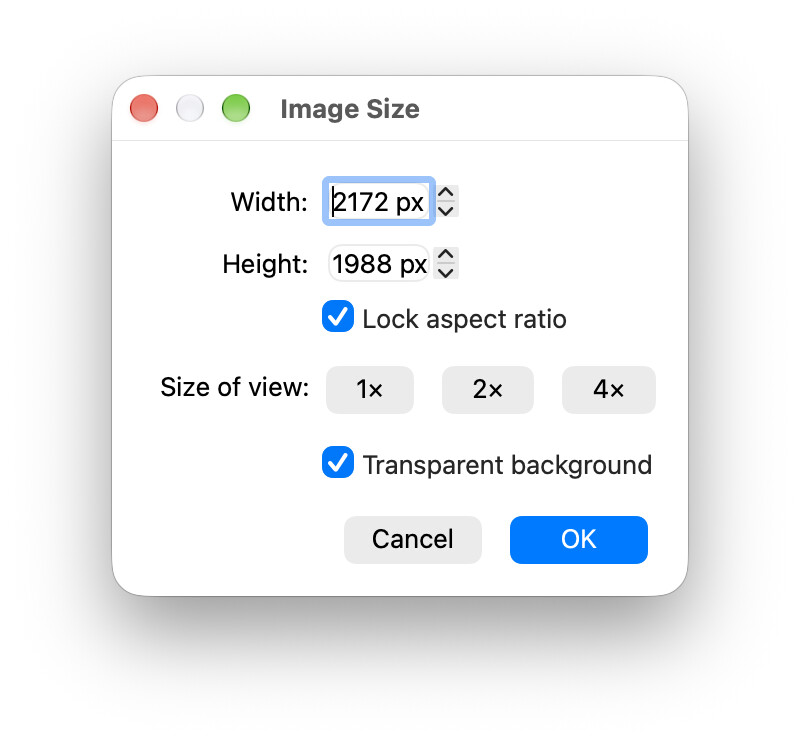
This also means that the movie recording (from animation) can set to exactly 800x600, etc.
Claude also suggested a slightly different transparent blending mode which seems to give the volumetric and surface rendering translucency when I paste on slides…
I’d also welcome some volunteers to run some rendering benchmarks. I have a M4 MacBook, which is evidently about the same as a GeForce GTX 1650 Laptop. I’d be curious to see how integrated graphics and dedicated GPUs handle larger trajectories on Linux and Windows. (My guess is that I’m somewhere in the middle - some users have older hardware and some have better GPUs.)
I’m not sure if I understand the simultaneous presence of width and height on one hand, and size of view on the other. Is this to say the illustration should be for instance twice as large as currently seen on the computer’s screen?
On the other hand, because Avogadro generates both vector illustrations (svg) as well as bitmap (png, which the interface is about), I could imagine a pulldown menu with a couple of presets. This draws inspiration from irfanview. This could consist of
a few small presets, e.g. 800 x 600 px (for a lightweight preview), or 1280 x 720 px for an attachment to an email
a couple presets in a tune like “3.33 in x 300 dpi = 999 px width” for an ACS single column illustration, similar for a two-column illustration; similar for a couple of other publishers (e.g., RSC, Wiley, Elsevier, etc.). This derives the pattern of molecule editors (ChemDraw and alike).
a user defined dimension one can reuse at a later time (similar to a personal style), separate from just this time the canvas will be dialed to 2172 x 1988 px.
Yes, or multi-scaling, e.g. generate a 800 x 600 image from a 1600 x 1200 - rescaled to minimize artifacts. Certainly movies have fairly standardized sizes and aspect ratios.
I’m definitely looking for feedback here. The 300 dpi idea is good.
IIRC it saves whatever dimension you set for the next time you export, so the user-defined dimension is there.
This is great to see, especially for the animation side. One small thing from working with video encoding a lot: if the movie export goes to H.264/MP4 with the usual yuv420p pixel format, both width and height have to be even numbers, otherwise ffmpeg either refuses or silently pads/crops by a pixel. So if users can type a custom size or pick a scale factor, it might be worth rounding the offscreen framebuffer to even dimensions for movie output (PNG/SVG can of course stay exact).
For presets, 1280x720 and 1920x1080 cover most video platforms, and 1080x1080 is handy for square social posts. I’m happy to run the trajectory benchmark on Linux with integrated Intel graphics once there’s a test build or a script to run.
The dimensions of the drawing pane are adjustable (manually as well as by splits by dividers), and resolutions of a screen vary from one to the next device and setup in the operating system. Thus an indicator about the present dimensions (in px) were helpful as such or with the 1x, 2x, 4x multiplier Size of preview by the widget proposed above. Personally, I like Jmol’s approach (at the bottom of the frame, outside the actual canvas; automatic update if the frame’s dimension change by drag-and-drop with a mouse) with a bar like
– here about a canvas of 500 px (width) times 400 px (hight).