Hi everyone,
I am not quite sure, what I have to do in order to view this nice orbital table in Avo2. I’ve created a MO cube file and when I open this in Avo1 the table appears (probably because it automatically reads the gbw file and creates the other MOs?), but in Avo2 only the cube file, which I loaded is shown, no table is generated.
OS = Win 11
Avogadro 1.102
Cube files generated with orca_plot
There are a few other things that I noticed which refers also to an earlier discussion:
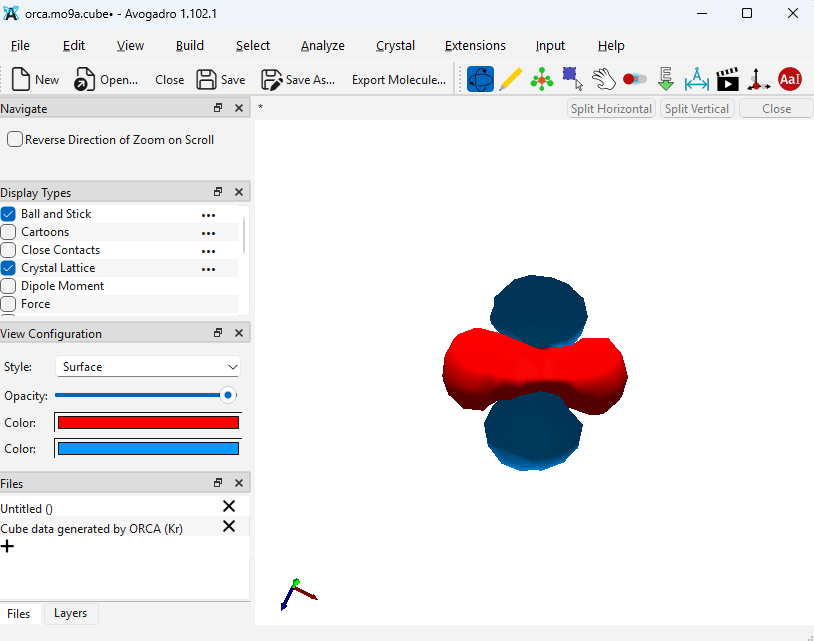
The rendering of that cube file is a bit strange. Still there is this peculiar behavior when I change the Opacitiy from 98 to 100 %.
This is at 100 % (also some artefacts are visible)
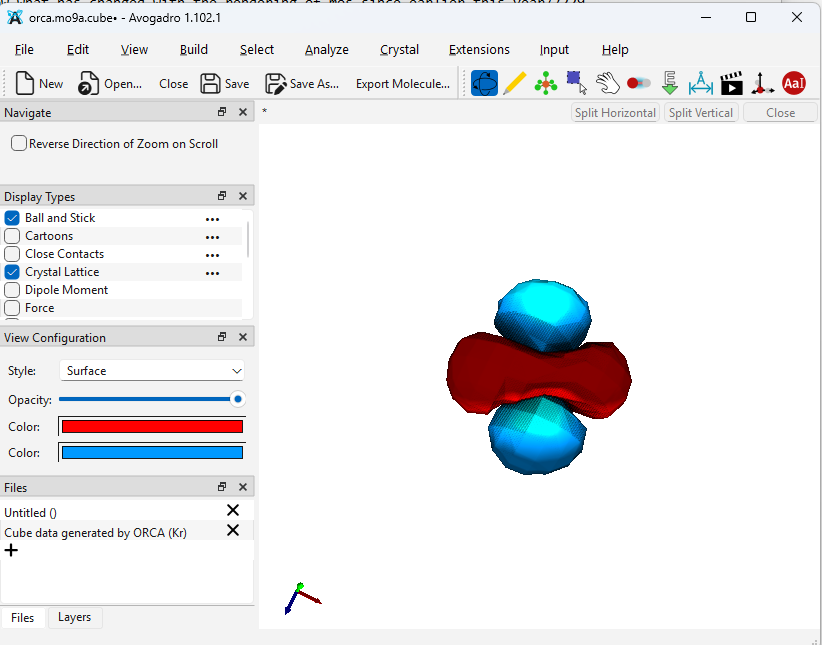
This is at 98 %…
Another issue: In Avo1 it was easy to set the quality of the rendering. Why are these kind options not visible under the ‘View Configuration’ panel? Maybe I am overlooking something, but in Avo2 the way to change the quality and also the isovalue of the isosurface is to go to ‘Analyze’ (why analyze?), then ‘Create surfaces’ (why create?), then by default ‘Van der Waals’ is selected, so you have to change it in this dialogue to ‘From File’ and then you can finally choose other iso values and rendering options. By the way: in my version there is no difference between the quality options, the orbital is looking exactly the same regardless of what option I choose.
I also noticed that the reference axes are not oriented in the way I would expect. In the images above we see simply a dz2 orbital, but the reference axes are not oriented accordning to the alignment of that orbital (?)
Speaking of reference axes: They command to show/hide the reference axes via the ‘View’ menu is not working, the axes are permanently visible.
best wishes