I have Avogadro 1.2.0 and it is not opening and the molecular orbital out file calculated with ORCA 6.0.1 (the lastest version). It did not also open the molden file generated from gbw. files from ORCA.
! B3LYP OPT def2-TZVPP Normalprint
%output
Print [P_MOs] 1
Print [P_Basis] 2
end
- xyz 0 2
F -5.60175 0.52788 -0.21335
How can I render the molecular orbital in avogadro?
We can’t support Avogadro 1.2.0. If you want to open ORCA 6.x output (btw, 6.1.0 is the latest) you should install Install — Avogadro 1.102.1 documentation
Thank you, I have downloaded avogadro2, and it opens the .out file.
I also download nightly builds in order to generate the orca input file, but I am still not seeing orca at the input icon.
For that, we’d need to know more. Avogadro2 uses Python to run scripts like the ORCA generator.
You don’t mention what OS you’re using, so it’s hard to help you more.
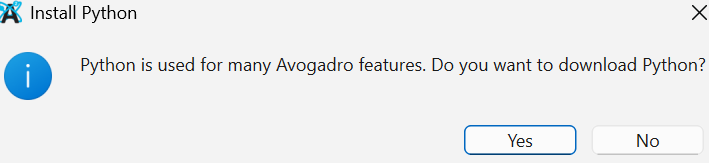
If you don’t have Python in your path, Avogadro will suggest you install it. Did you?
Thanks for your response.
My OS is 64-bit.
Yes, it pops up while launching avogadro2, to which I chose yes, but it still has no ORCA generator.
I don’t know what you mean by 64-bit. Windows? Linux? If Linux, what distribution?
To make sure, it’s connected to the internet? After this dialog, Avogadro will run a program to download and set up Python for you, but it needs a network connection to do that.
Also, you will need to restart Avogadro for it to work.
It is window 11. For some reason, I am still not seeing ORCA at the input.
I’m not entirely sure why it didn’t work from you, but there are several ways of installing Python on Windows:
I personally suggest Miniforge, but any of them should work for you.