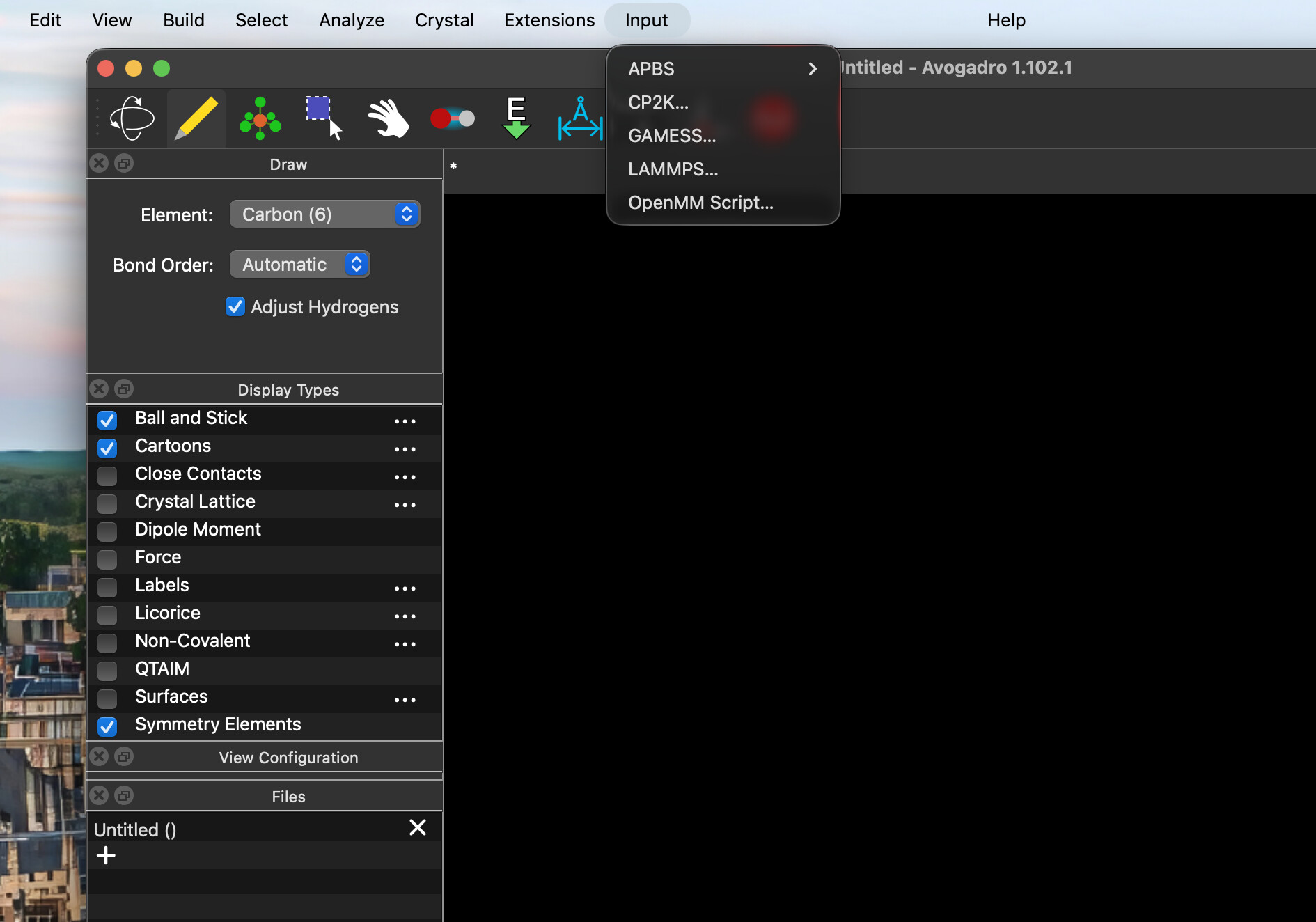
When I enter /Applications/Avogadro2.app/Contents/MacOS/Avogadro2
Error: Failed to open library “/Library/Frameworks/3DconnexionNavlib.framework/3DconnexionNavlib”! Error: dlopen(/Library/Frameworks/3DconnexionNavlib.framework/3DconnexionNavlib, 0x0005): tried: ‘/Library/Frameworks/3DconnexionNavlib.framework/3DconnexionNavlib’ (no such file), ‘/System/Volumes/Preboot/Cryptexes/OS/Library/Frameworks/3DconnexionNavlib.framework/3DconnexionNavlib’ (no such file), ‘/Library/Frameworks/3DconnexionNavlib.framework/3DconnexionNavlib’ (no such file)!
Avogadroapp version: 1.102.1
Avogadrolibs version: 1.102.1
Qt version: 6.10.0
qt.core.qobject.connect: QObject::connect(QObject, Unknown): invalid nullptr parameter
SSL version: “Secure Transport, macOS Tahoe (26.0.1)”
Using locale: “en_GB”
AvogadroApp Translation “en_GB” loaded “/Applications/Avogadro2.app/Contents/MacOS/../share/avogadro2/i18n/”
AvogadroLibs Translation “en_GB” loaded “/Applications/Avogadro2.app/Contents/MacOS/../share/avogadro2/i18n/”
registering GPL plugins
“/Applications/Avogadro2.app/Contents/MacOS/obabel” found: “/Applications/Avogadro2.app/Contents/MacOS/obabel: Open Babel 3.1.1 – Oct 29 2025 – 01:32:36”
QProcess: Destroyed while process (“/Applications/Avogadro2.app/Contents/MacOS/pixi”) is still running.
QProcess: Destroyed while process (“/Applications/Avogadro2.app/Contents/MacOS/pixi”) is still running.
QProcess: Destroyed while process (“/Applications/Avogadro2.app/Contents/MacOS/pixi”) is still running.
QProcess: Destroyed while process (“/Applications/Avogadro2.app/Contents/MacOS/pixi”) is still running. QProcess: Destroyed while process (“/Applications/Avogadro2.app/Contents/MacOS/pixi”) is still running.
QProcess: Destroyed while process (“/Applications/Avogadro2.app/Contents/MacOS/pixi”) is still running.
QProcess: Destroyed while process (“/Applications/Avogadro2.app/Contents/MacOS/pixi”) is still running.
QProcess: Destroyed while process (“/Applications/Avogadro2.app/Contents/MacOS/pixi”) is still running.
QProcess: Destroyed while process (“/Applications/Avogadro2.app/Contents/MacOS/pixi”) is still running.
QProcess: Destroyed while process (“/Applications/Avogadro2.app/Contents/MacOS/pixi”) is still running.
QProcess: Destroyed while process (“/Applications/Avogadro2.app/Contents/MacOS/pixi”) is still running.
Using manifest in “/Users/dogayildirim/Library/Application Support/OpenChemistry/Avogadro”
QProcess: Destroyed while process (“/Applications/Avogadro2.app/Contents/MacOS/pixi”) is still running.
Using manifest in “/Users/dogayildirim/Library/Application Support/OpenChemistry/Avogadro”
QProcess: Destroyed while process (“/Applications/Avogadro2.app/Contents/MacOS/pixi”) is still running.
Using manifest in “/Users/dogayildirim/Library/Application Support/OpenChemistry/Avogadro”
QProcess: Destroyed while process (“/Applications/Avogadro2.app/Contents/MacOS/pixi”) is still running.
Using manifest in “/Users/dogayildirim/Library/Application Support/OpenChemistry/Avogadro”
QProcess: Destroyed while process (“/Applications/Avogadro2.app/Contents/MacOS/pixi”) is still running.
Using manifest in “/Users/dogayildirim/Library/Application Support/OpenChemistry/Avogadro”
QProcess: Destroyed while process (“/Applications/Avogadro2.app/Contents/MacOS/pixi”) is still running.
Using manifest in “/Users/dogayildirim/Library/Application Support/OpenChemistry/Avogadro”
QProcess: Destroyed while process (“/Applications/Avogadro2.app/Contents/MacOS/pixi”) is still running.
Using manifest in “/Users/dogayildirim/Library/Application Support/OpenChemistry/Avogadro”
QProcess: Destroyed while process (“/Applications/Avogadro2.app/Contents/MacOS/pixi”) is still running.
Using manifest in “/Users/dogayildirim/Library/Application Support/OpenChemistry/Avogadro”
QProcess: Destroyed while process (“/Applications/Avogadro2.app/Contents/MacOS/pixi”) is still running.
Using manifest in “/Users/dogayildirim/Library/Application Support/OpenChemistry/Avogadro”
QProcess: Destroyed while process (“/Applications/Avogadro2.app/Contents/MacOS/pixi”) is still running.
Using manifest in “/Users/dogayildirim/Library/Application Support/OpenChemistry/Avogadro”
QProcess: Destroyed while process (“/Applications/Avogadro2.app/Contents/MacOS/pixi”) is still running.
Using manifest in “/Users/dogayildirim/Library/Application Support/OpenChemistry/Avogadro”
QProcess: Destroyed while process (“/Applications/Avogadro2.app/Contents/MacOS/pixi”) is still running.
QProcess: Destroyed while process (“/Applications/Avogadro2.app/Contents/MacOS/pixi”) is still running.
Using manifest in “/Users/dogayildirim/Library/Application Support/OpenChemistry/Avogadro”
QProcess: Destroyed while process (“/Applications/Avogadro2.app/Contents/MacOS/pixi”) is still running.
qt.network.http2: stream 1 error: “Connection closed”
qt.network.http2: stream 1 finished with error: “HTTP/2 protocol error”
Setting default format to cjson
Open Babel formats ready: 145
When I enter ls -lt ~/Library/Application\ Support/OpenChemistry/Avogadro/.pixi
total 0
When I enter ls -lt ~/Library/Application\ Support/OpenChemistry/Avogadro/pyproject.toml
-r–r–r–@ 1 dogayildirim staff 192 24 Eki 11:41 /Users/dogayildirim/Library/Application Support/OpenChemistry/Avogadro/pyproject.toml