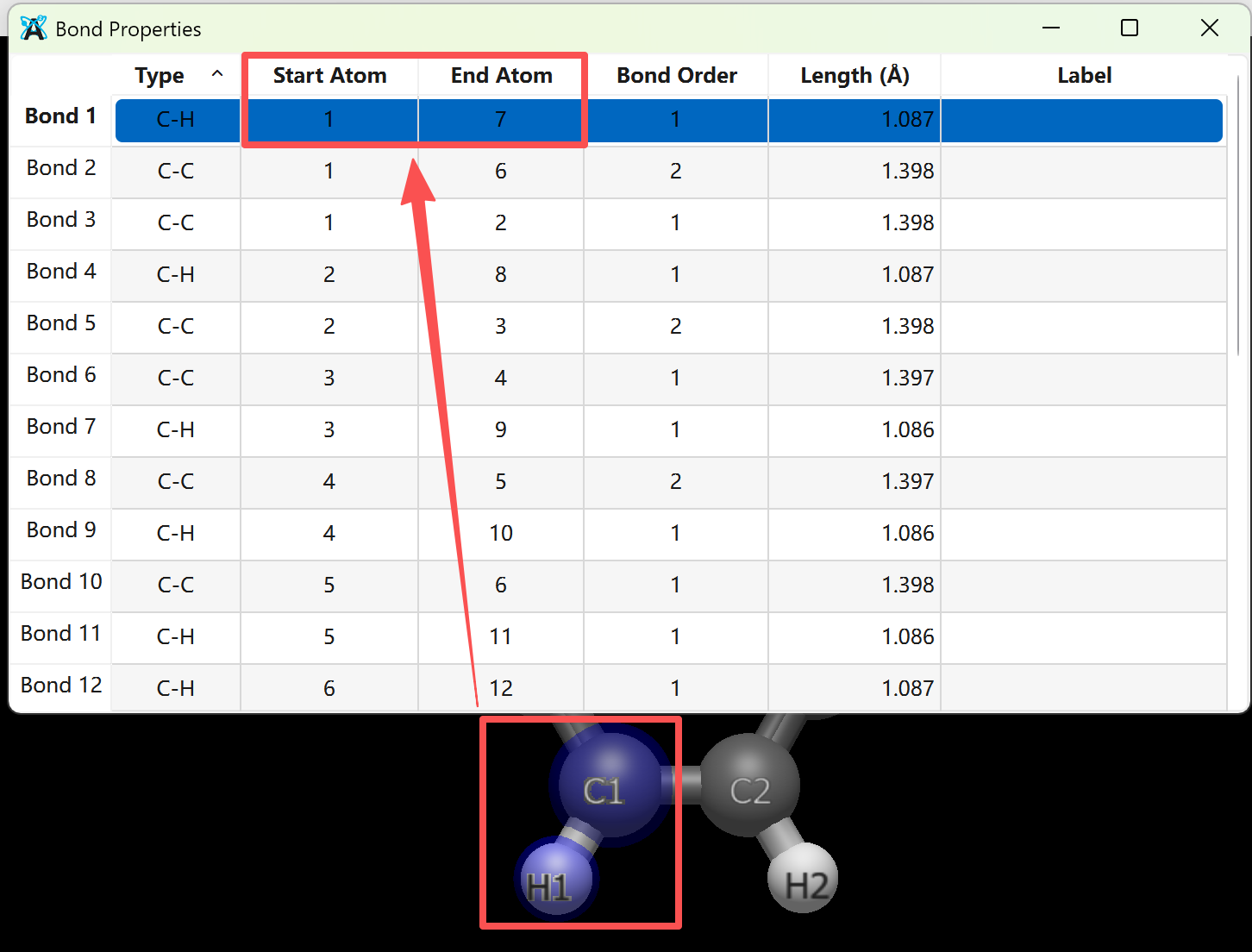
For example, as shown in the image below, in the bond properties, the start atom is “1” and the end atom is “7”. I want to change it to “C1” and “H1”. Thank you!
At the moment, there isn’t a way to do that.
Can you describe the use case? What are you trying to do?
Thank you for your reply. I just want a more intuitive and convenient way to inspect the corresponding bond lengths and bond angles, especially when I need to redraw figures for manuscript submission. Although this can be done manually at the moment, there is too much data and the process is very cumbersome.
I’m still not 100% sure on why you’re redrawing figures. I get your point, although the atom numbers correspond to the “Index” numbering for atom labels, and you can select a bond row to select those atoms. But what you’d like is for the table to reflect your custom atom label. I’ll think about how to handle that (e.g., some atom labels it works and some like partial charge, it wouldn’t).
In the meantime, some workarounds…
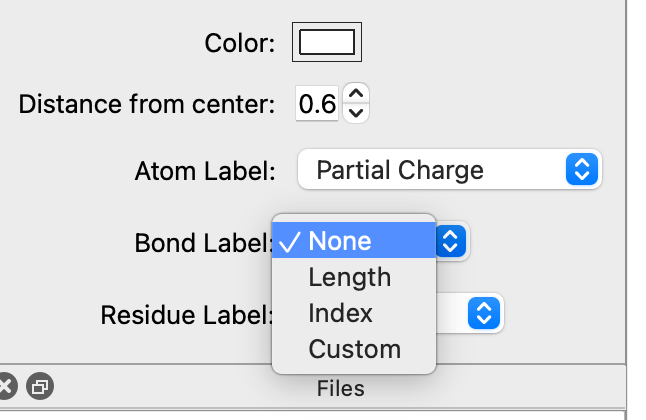
You can use the label options to add bond lengths:
But if you’re adding lots of lengths and angles for manuscripts, you might also want to look at CYLview: CYLview Visualization Software - Features
thank you very much!!!