For .pdb the selection of atoms by their appearance in the file in Jmol is possible, too. The instruction then is, e.g.,
select atomno = 13;
color green;  # if using a green colour is fine for you
color cpk;  # to revert back to Jmol's first default colour scheme
color rasmol;  # to enable Jmol's alternative colour scheme
In .cif files which typically describe small molecules (often complementary to the scope of .pdb), a call by the atom label (atom symbol plus a number) is equally possible. E.g., with 1505213.cif from the COD, once loaded into Jmol, from the program’s console:
select H17;
label;  # just to ease localization within the visual
color green;
select atomno >= 4 and atomno < 10;  # a range of atom numbers
color red;
write "green_hydrogen.png"  # provide the permanent record
color cpk;  # revert to the original colour scheme on last selection
set label off;  # the label no longer is shown
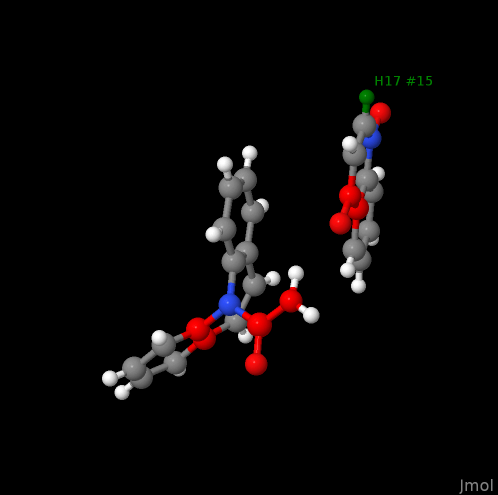
(Further examples, e.g. in the interactive manual here.)