Thanks for replying so quickly!
I’ve tried what you suggested and it has improved the look somewhat, but I have a feeling something has changed either in the rendering pipeline, or the way that macOS Tahoe displays graphics (apologies if this is a gross simplification).
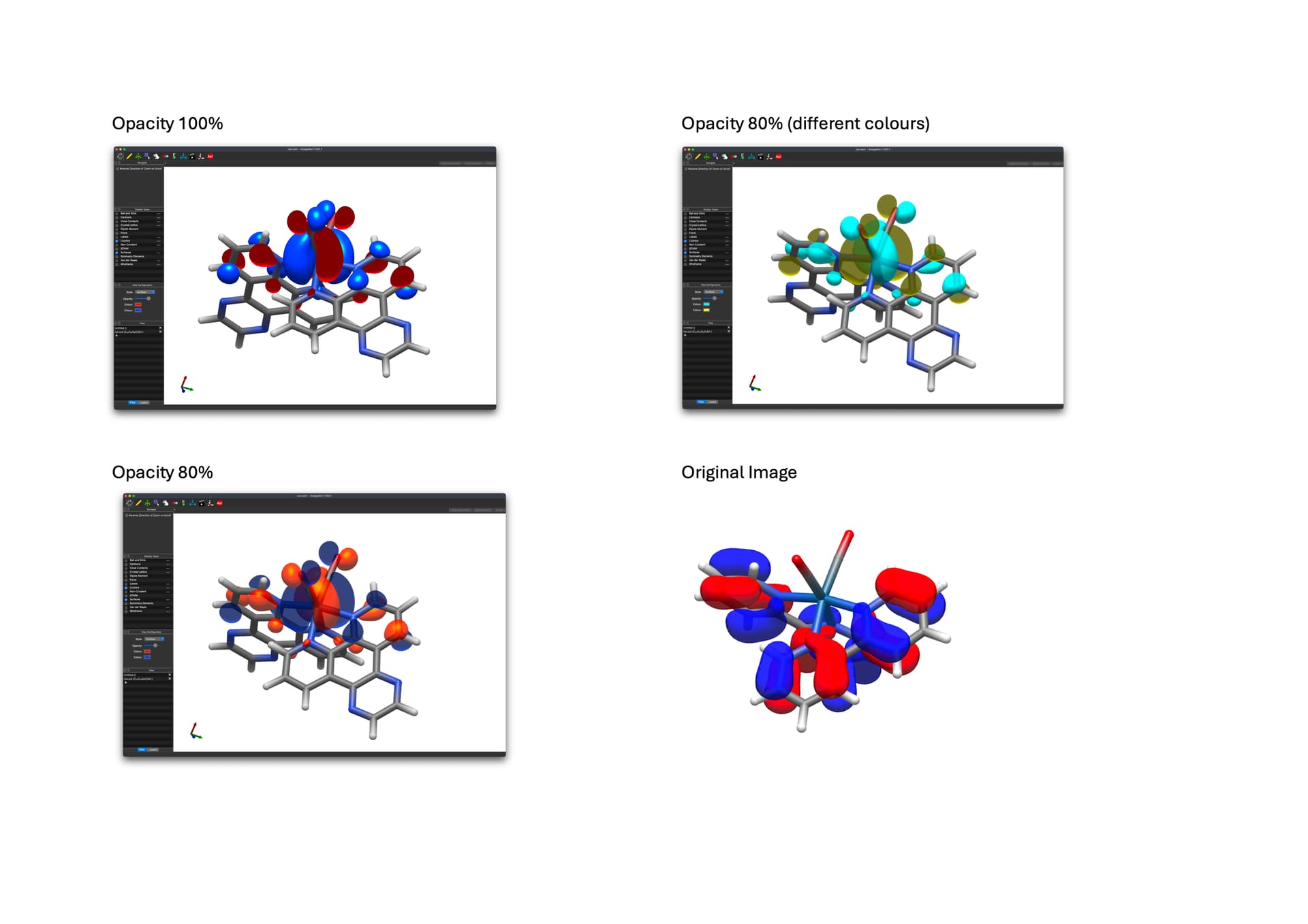
The colours are much less vibrant (even with a lower opacity, and especially with the yellow and blue), which I find strange. It’s by no means detrimental to anything, but I didn’t know if this change was intended at all, or not.
These images were taken with Ambient Occlusion, Fog, Depth Blur, and Edge Outline all off (turning them on and changing the parameters doesn’t change much). Unfortunately I can’t remember the settings that were used to render the original image.
If it’s behaving as intended then thats fine. Just wanted to check to see if this is the case or not 